WooCommerce plugin
Delivery date, time slots & pickup for WooCommerce
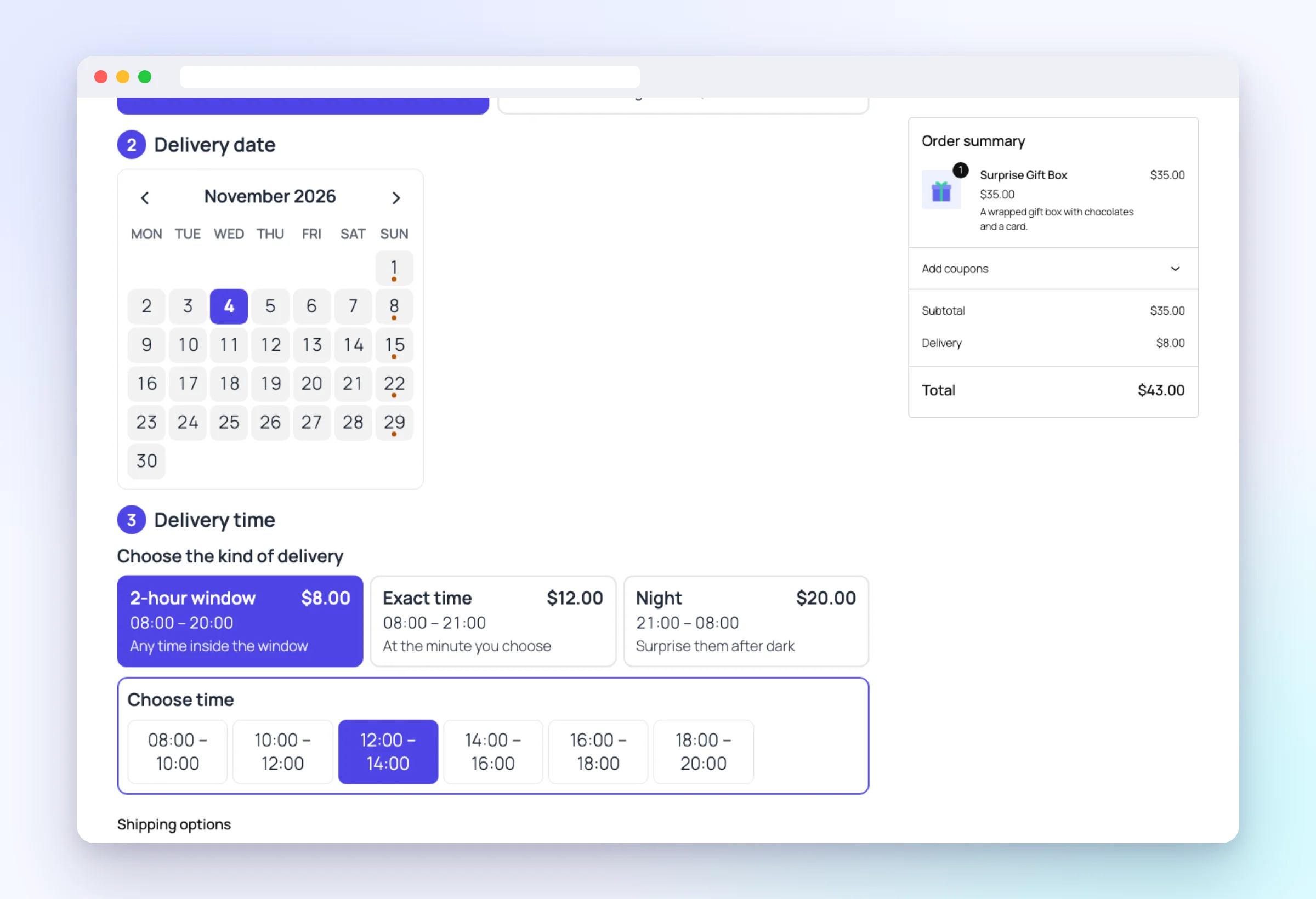
Your customers choose how (delivery or pickup), which day and what time — in three short steps made for phones. You see every order in a delivery calendar and never take more deliveries than you can handle.

Free version on WordPress.org · Pro trial without a card · Classic checkout and the Checkout block
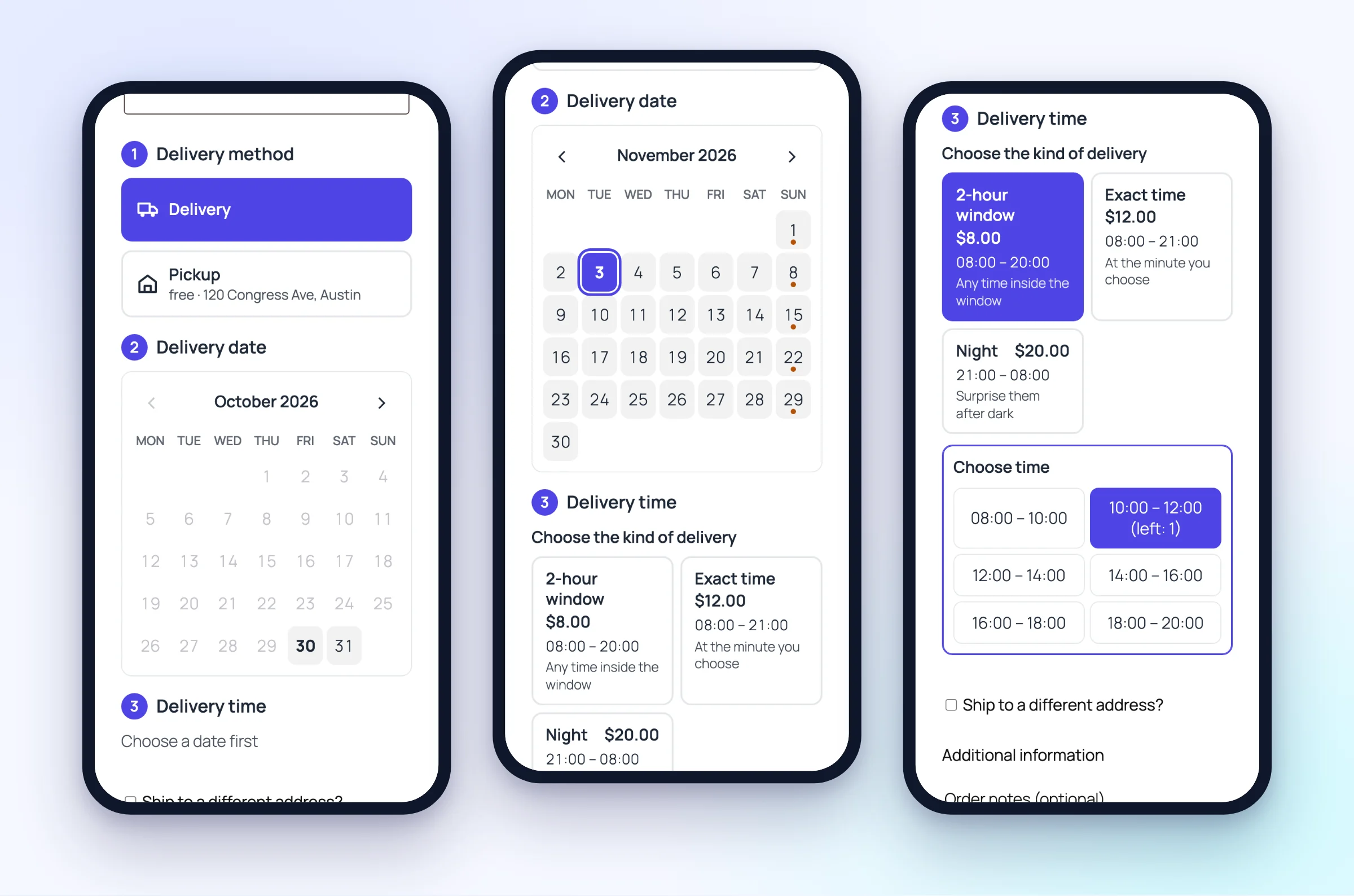
Three steps at checkout
1
Delivery or pickup
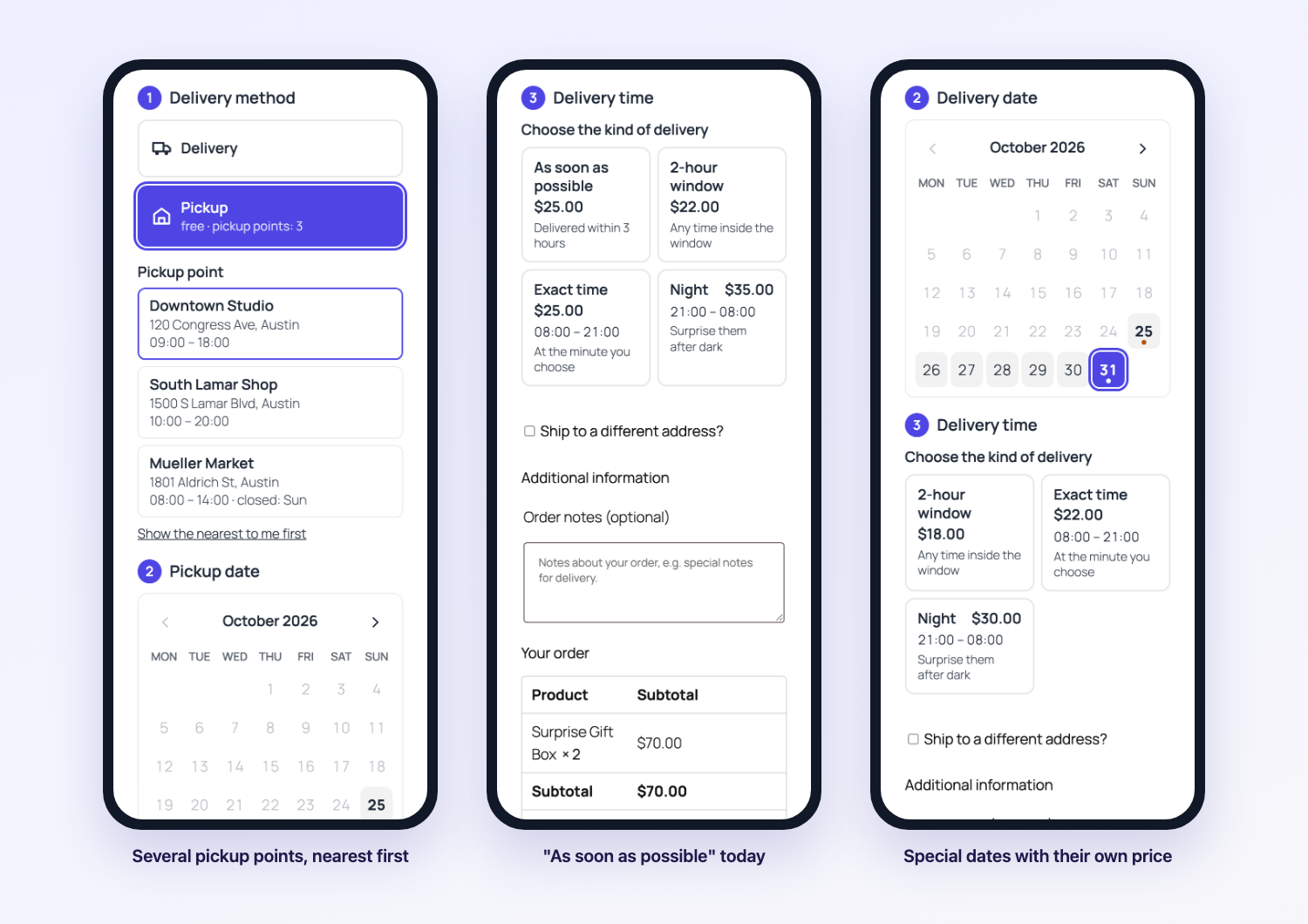
Two big buttons; pickup shows your address.
2
A day
Busy days and days off can’t be picked; Sundays and holidays can cost more.
3
A time
Time windows, an exact time or night delivery — each with its price.
Everything you need — free
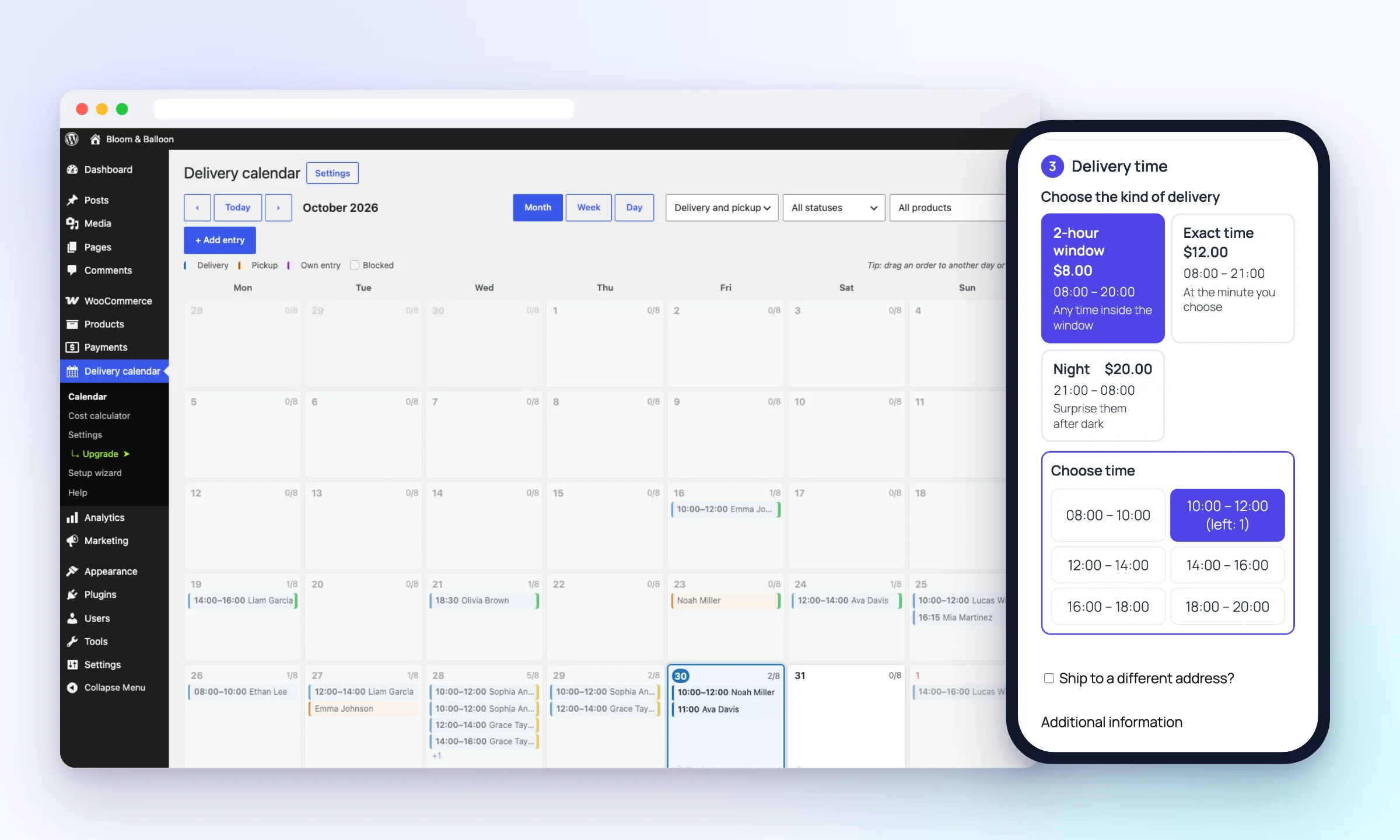
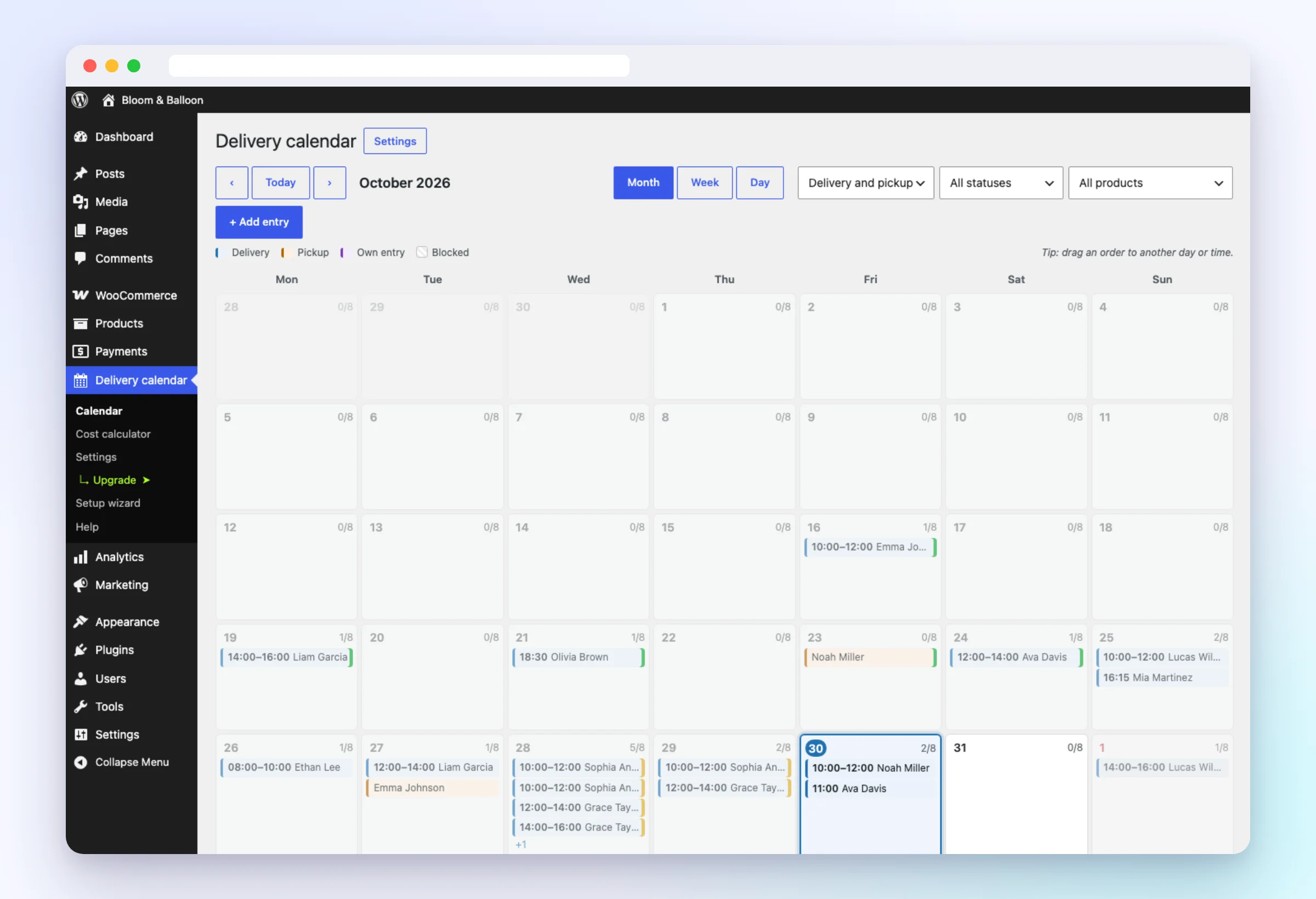
Delivery calendar
Month, week and day views with every delivery and pickup. Drag an order to another day — the customer can get an e-mail.
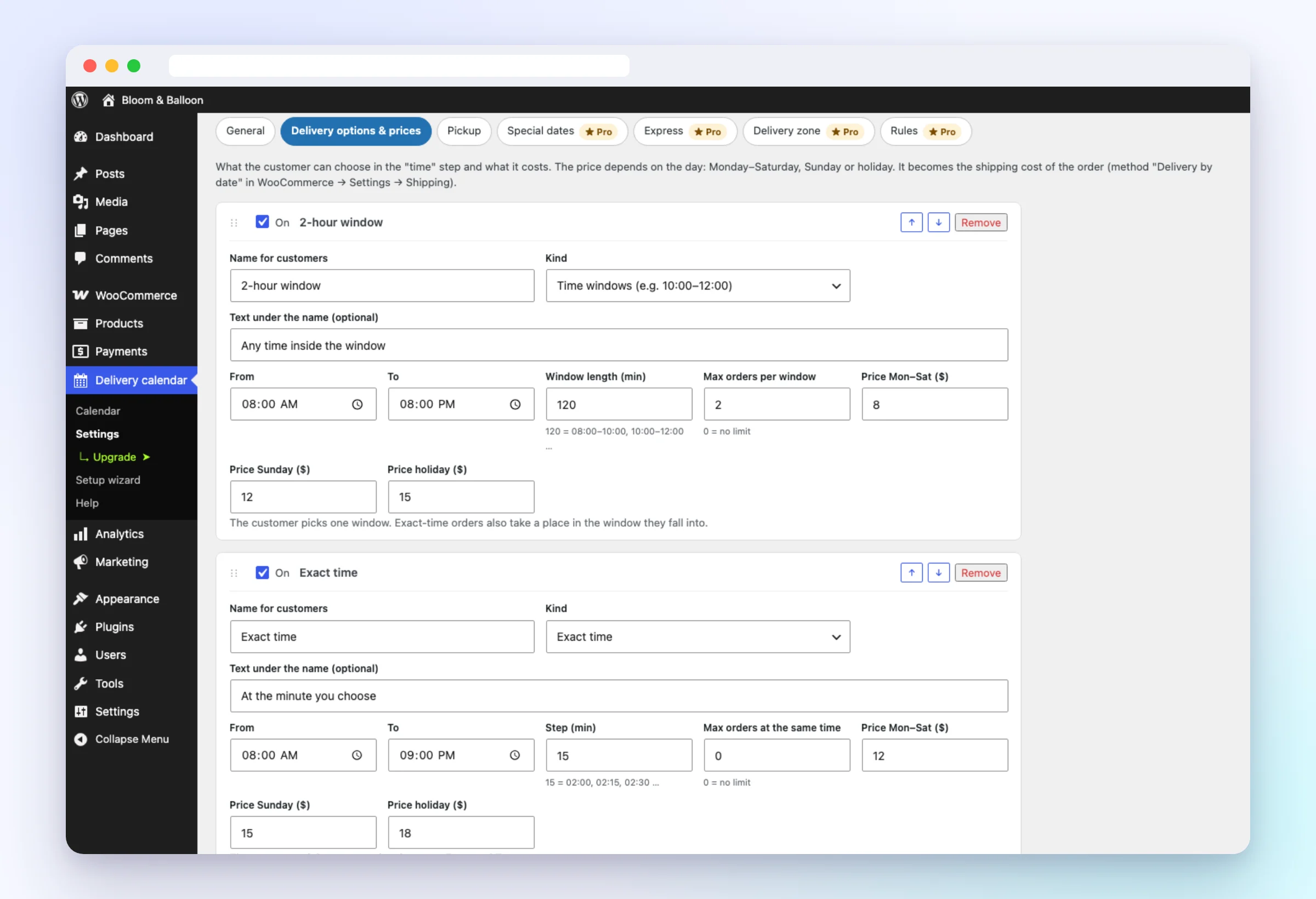
One clear price table
Time windows, exact time and night — with a price for weekdays, Sundays and holidays. Free delivery from an amount, or always free.
Works with your checkout
Classic checkout, the Checkout block, Elementor, FunnelKit, CartFlows, Fluid Checkout. Booked times show your message.
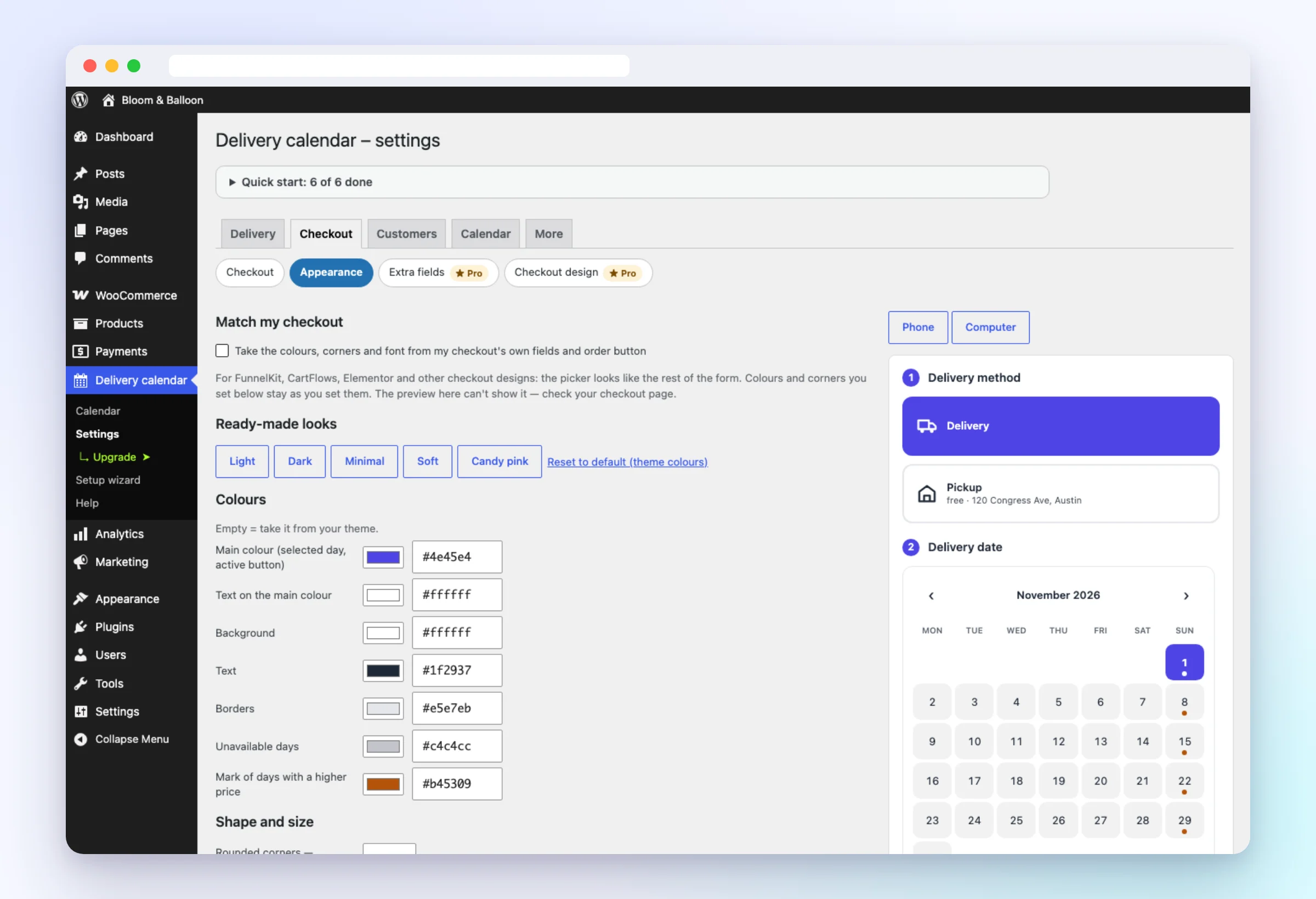
Your look
Colours, corners and ready-made looks with a live preview — or “match my checkout”.
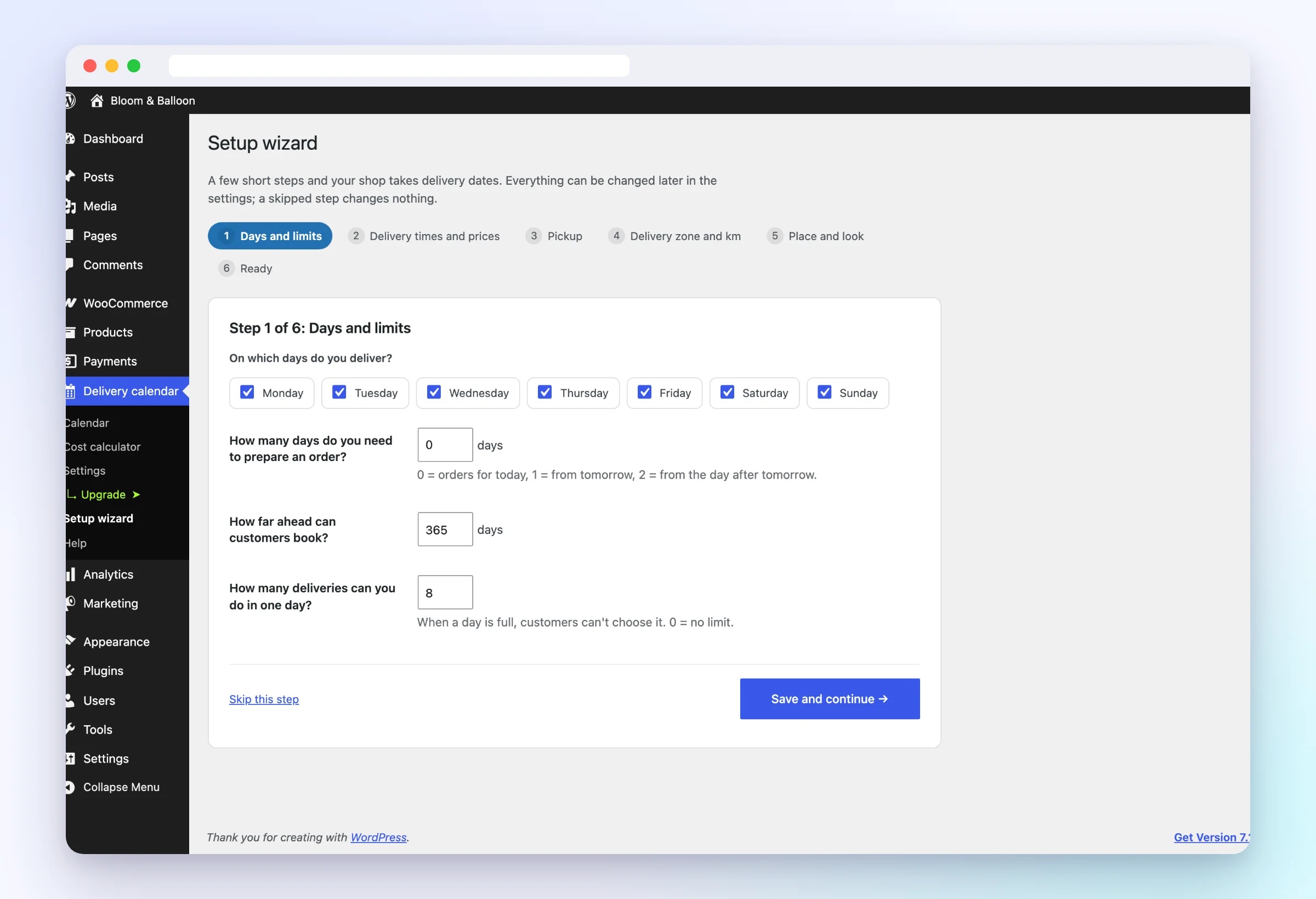
Ready in 5 minutes
A setup wizard opens right after activation: days, times, prices, pickup and look.
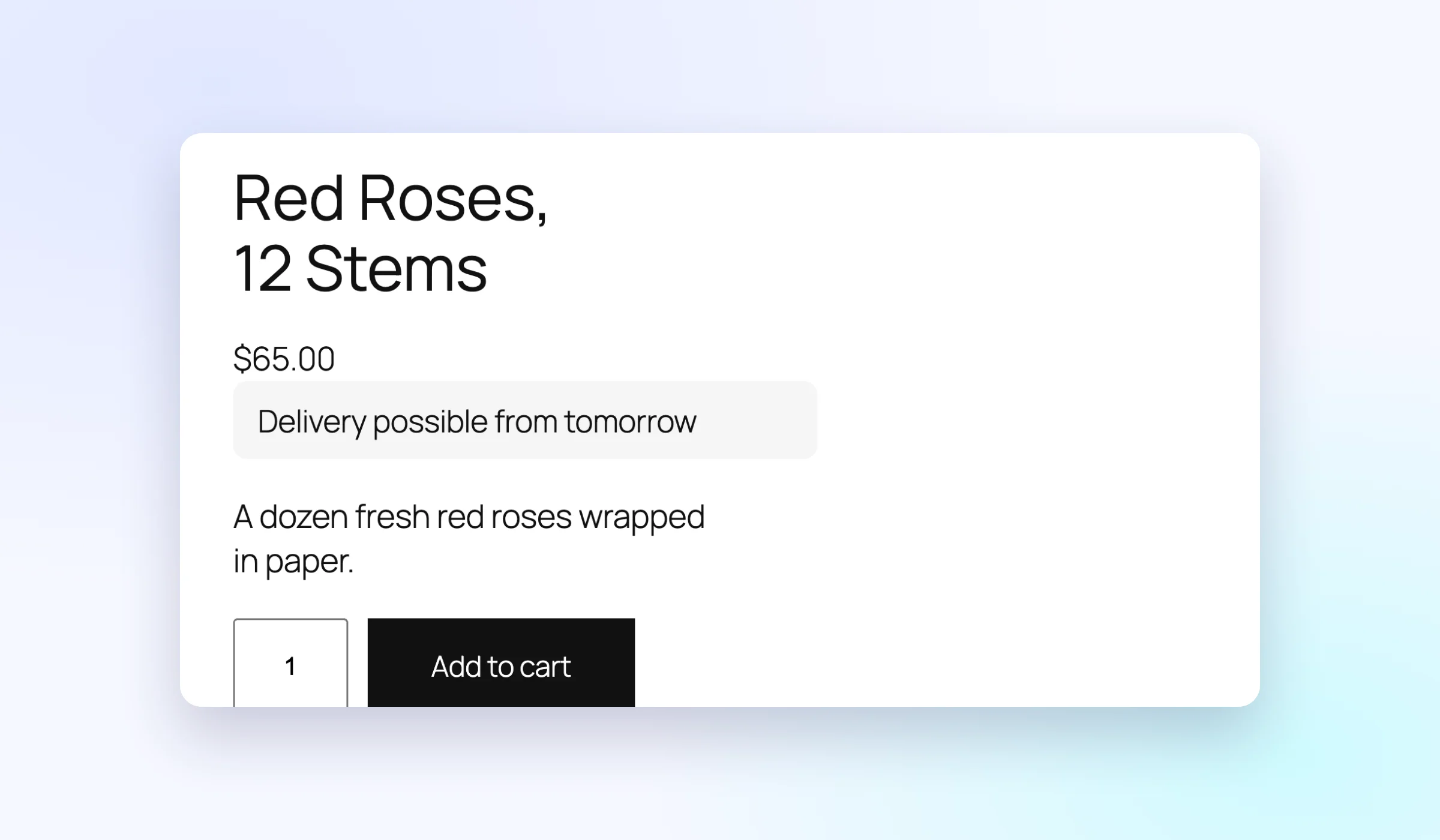
The date everywhere
“Delivery possible from tomorrow” on products and in the cart, “Add to calendar”, e-mails and the WooCommerce mobile app.
Dayslot Pro
More for shops that deliver every day
14-day free trial, no card needed. When the license ends, Pro keeps working — only updates stop.
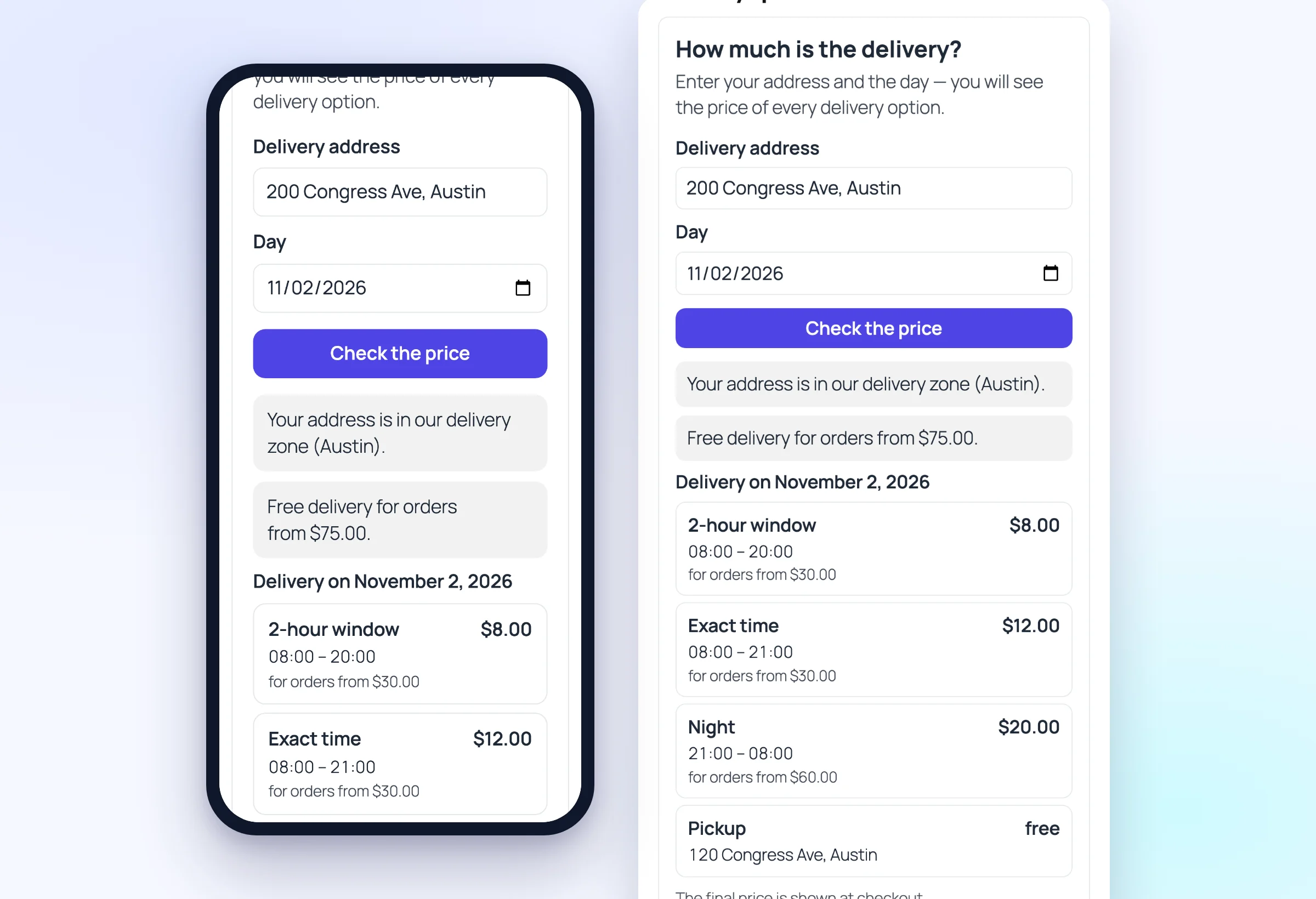
Price calculator for customers
Address and day → the price of every delivery option, the same as at checkout. One shortcode on any page.
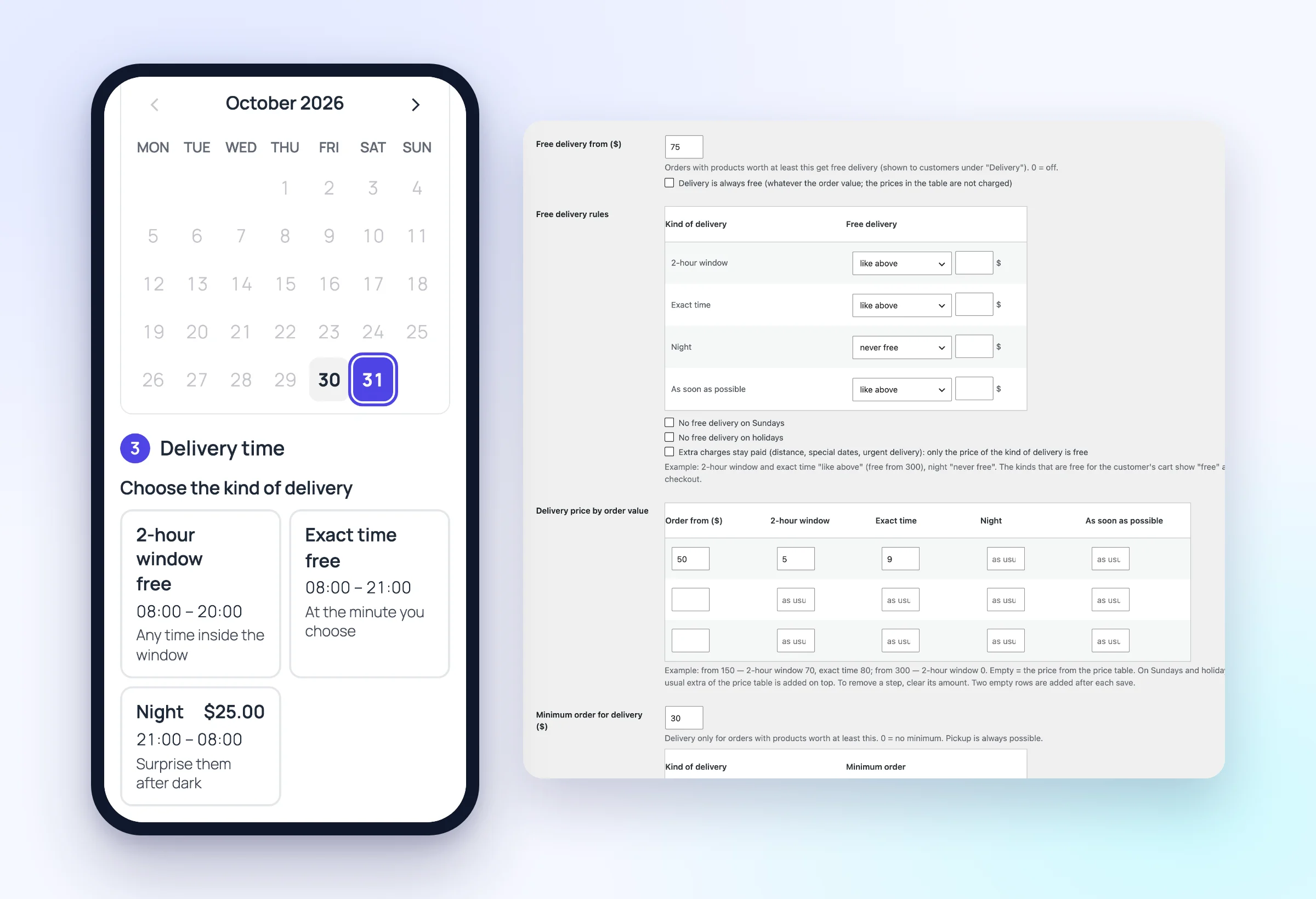
Flexible free delivery
Free from $75 for the day windows but the night always paid; price by order value; no free delivery on Sundays.
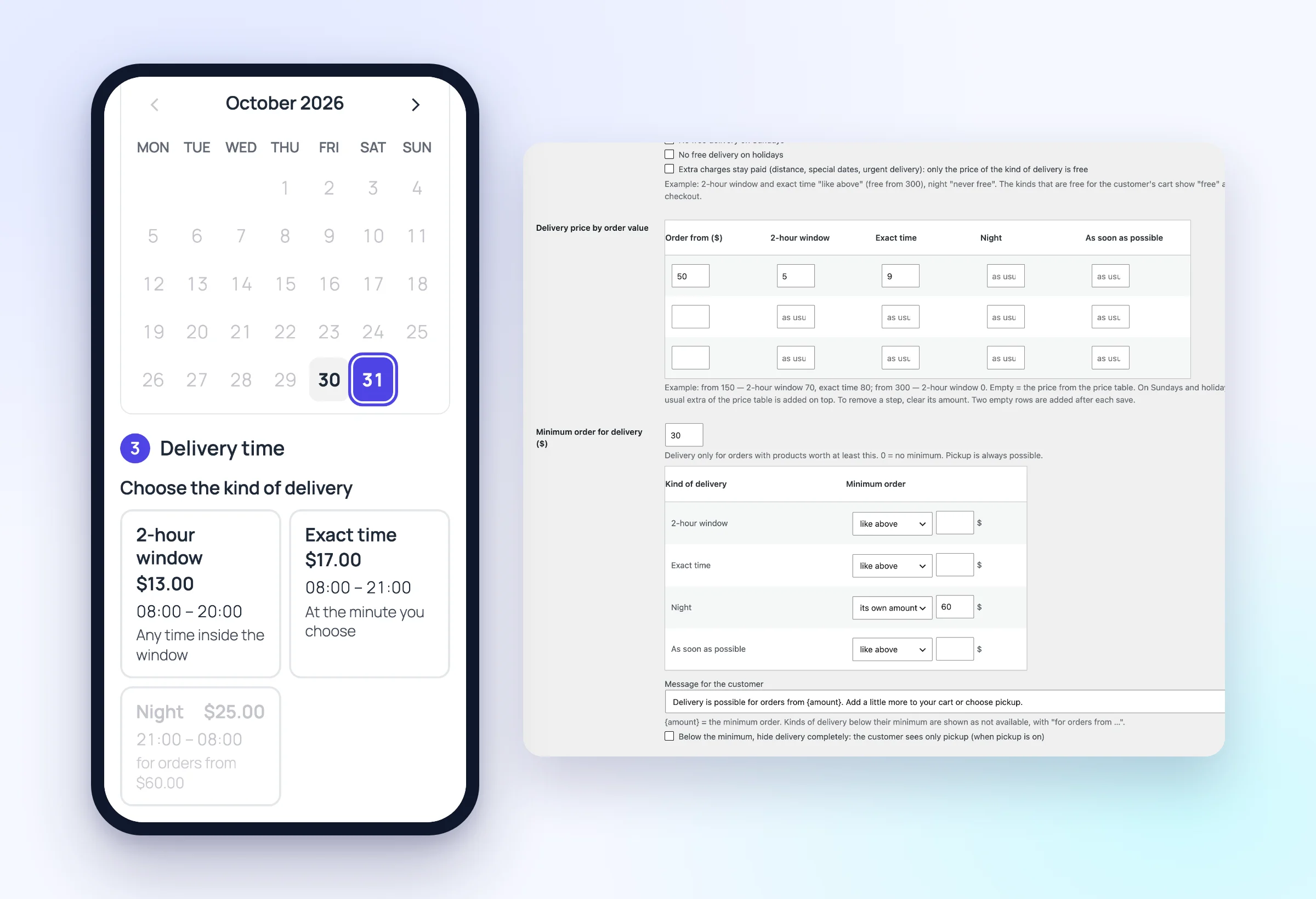
Minimum order
Delivery only from an order value you choose — per kind of delivery, or pickup only below it.
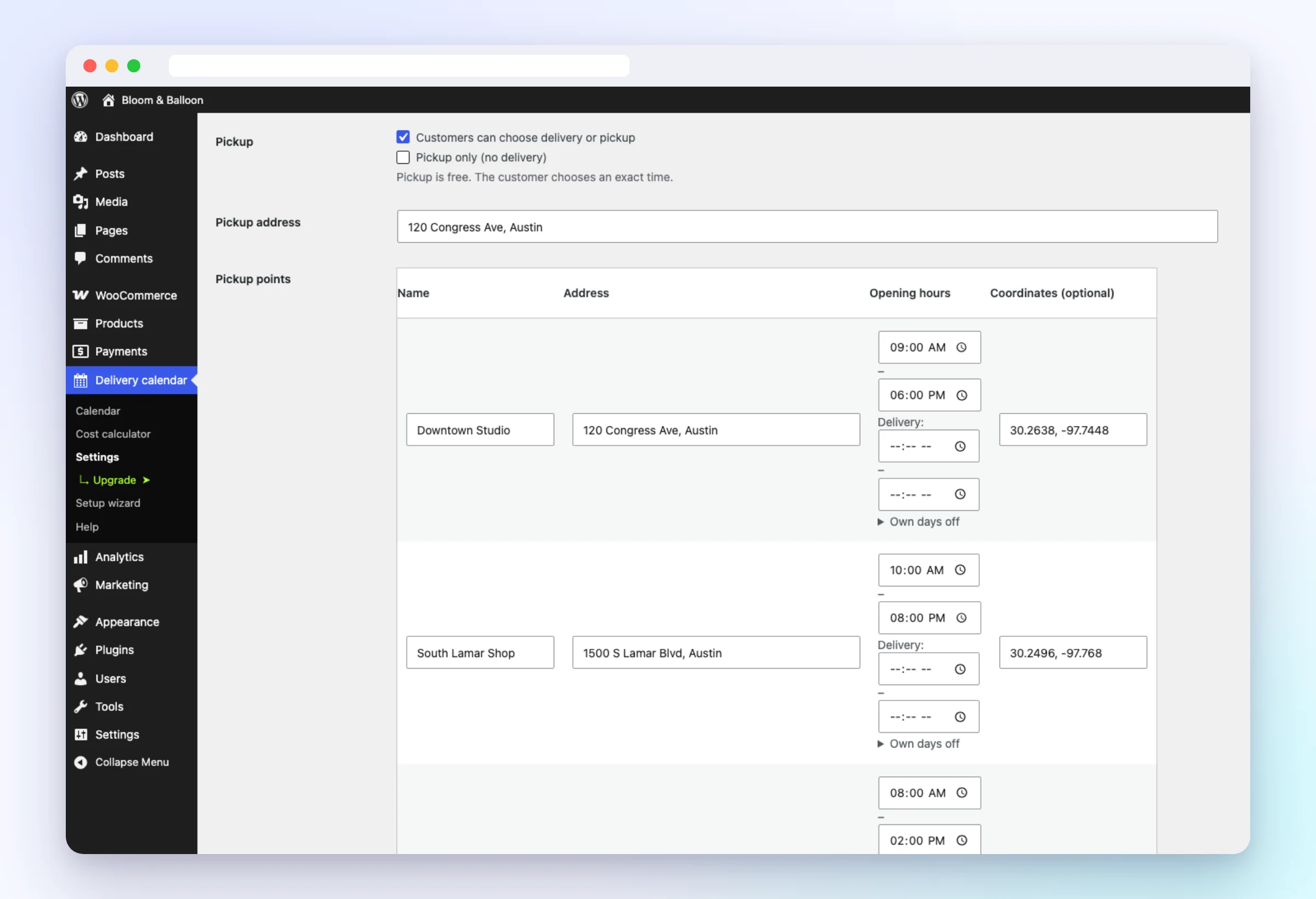
Pickup points and branches
Several pickup points with their own hours and limits; customers choose the pickup time.
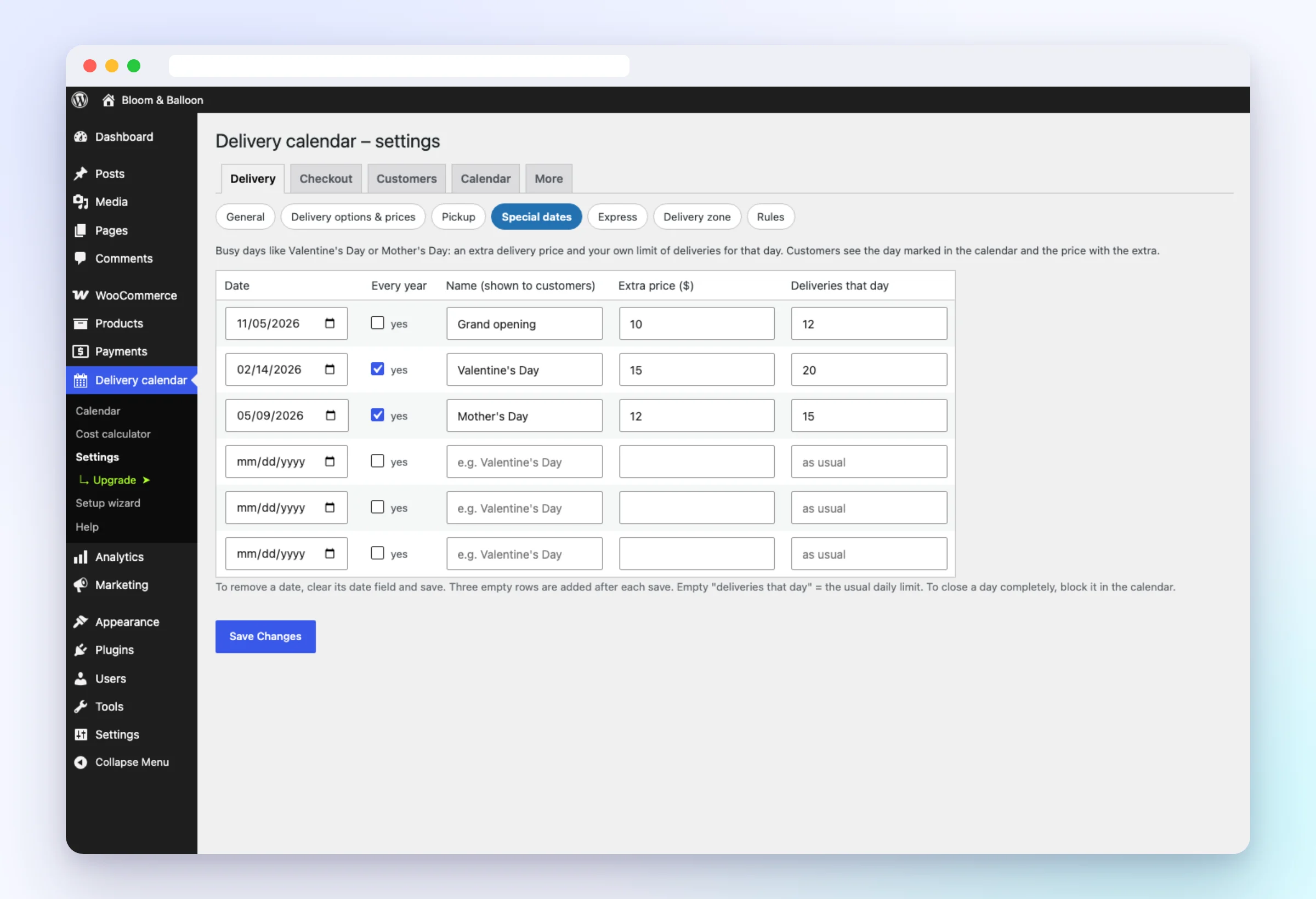
Special dates
Valentine’s Day or Mother’s Day with an extra price and their own limit.
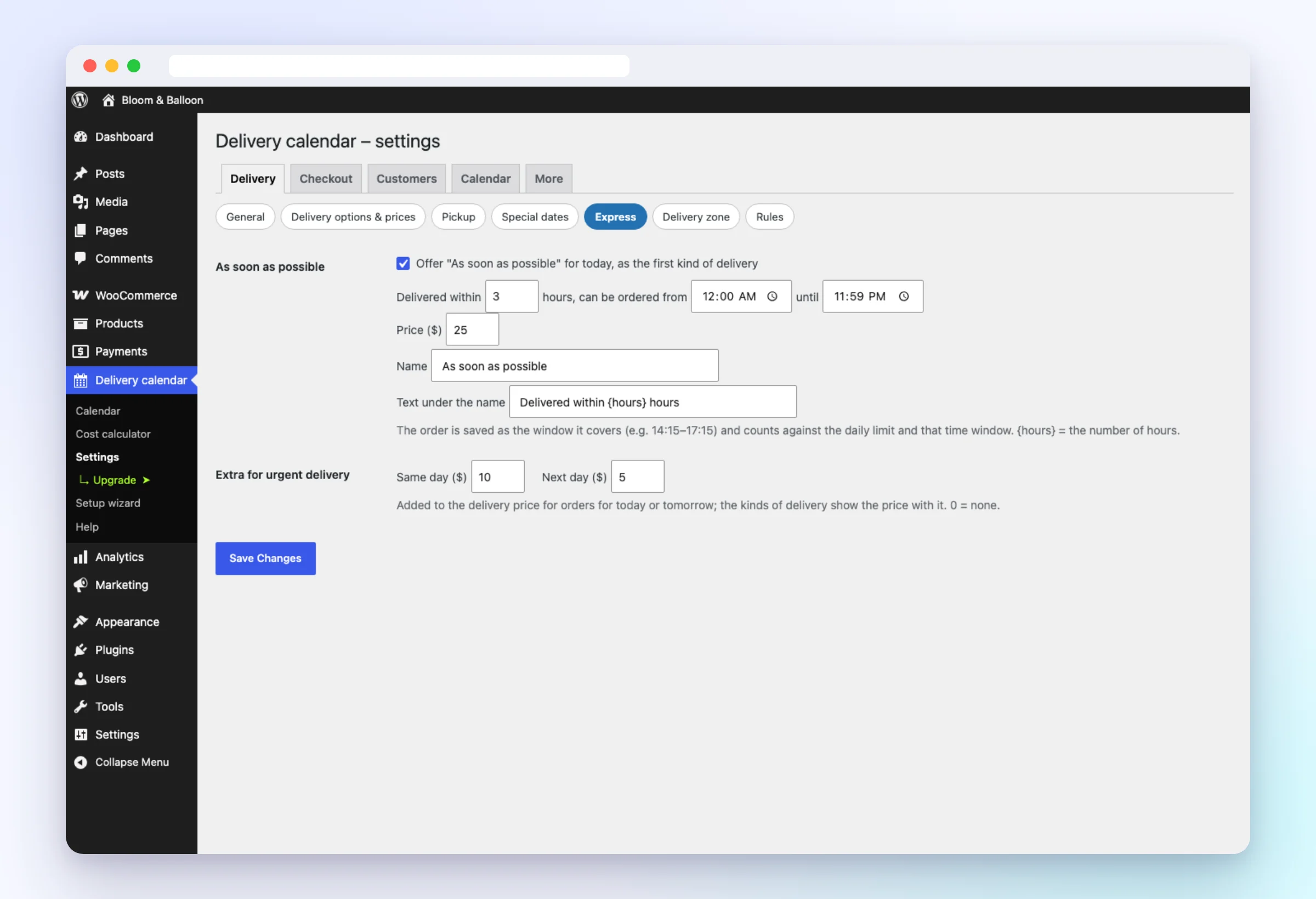
Express delivery
“As soon as possible” today and extra prices for same-day and next-day delivery.
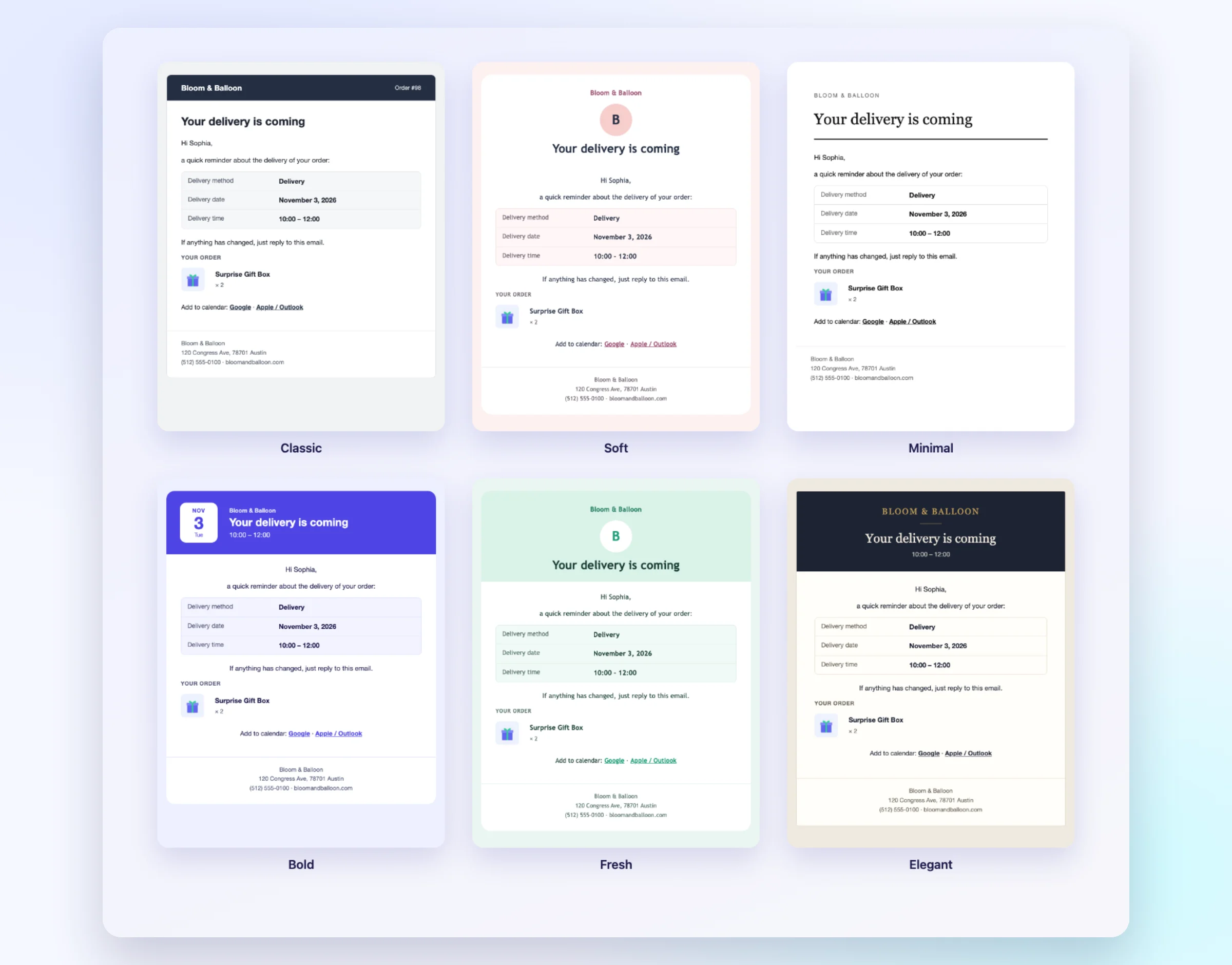
Beautiful e-mails
Six designs with your logo and colour; your own texts and contents for every e-mail.
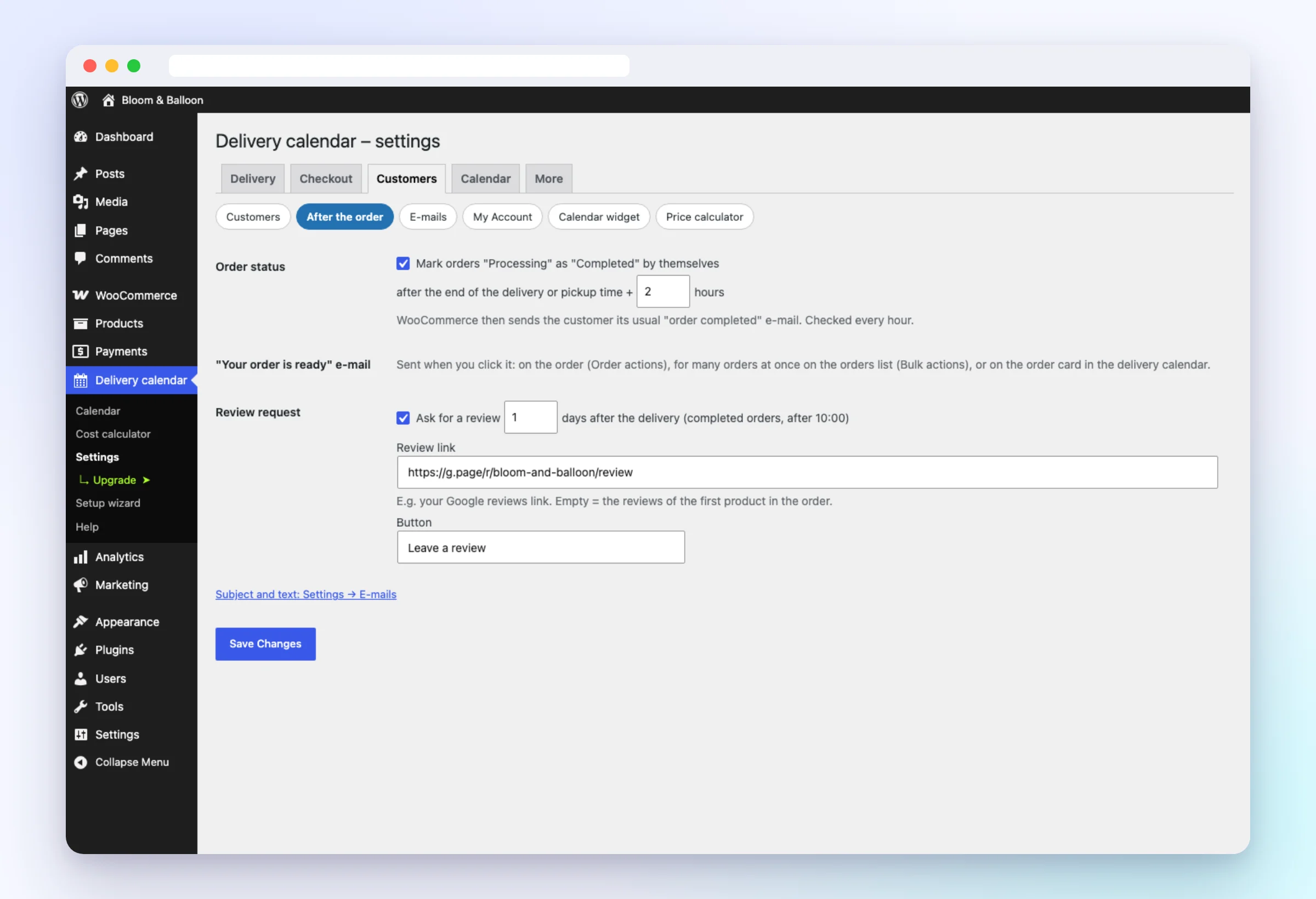
After the order
Completed automatically, “your order is ready” and a review request the next day.
Google Calendar
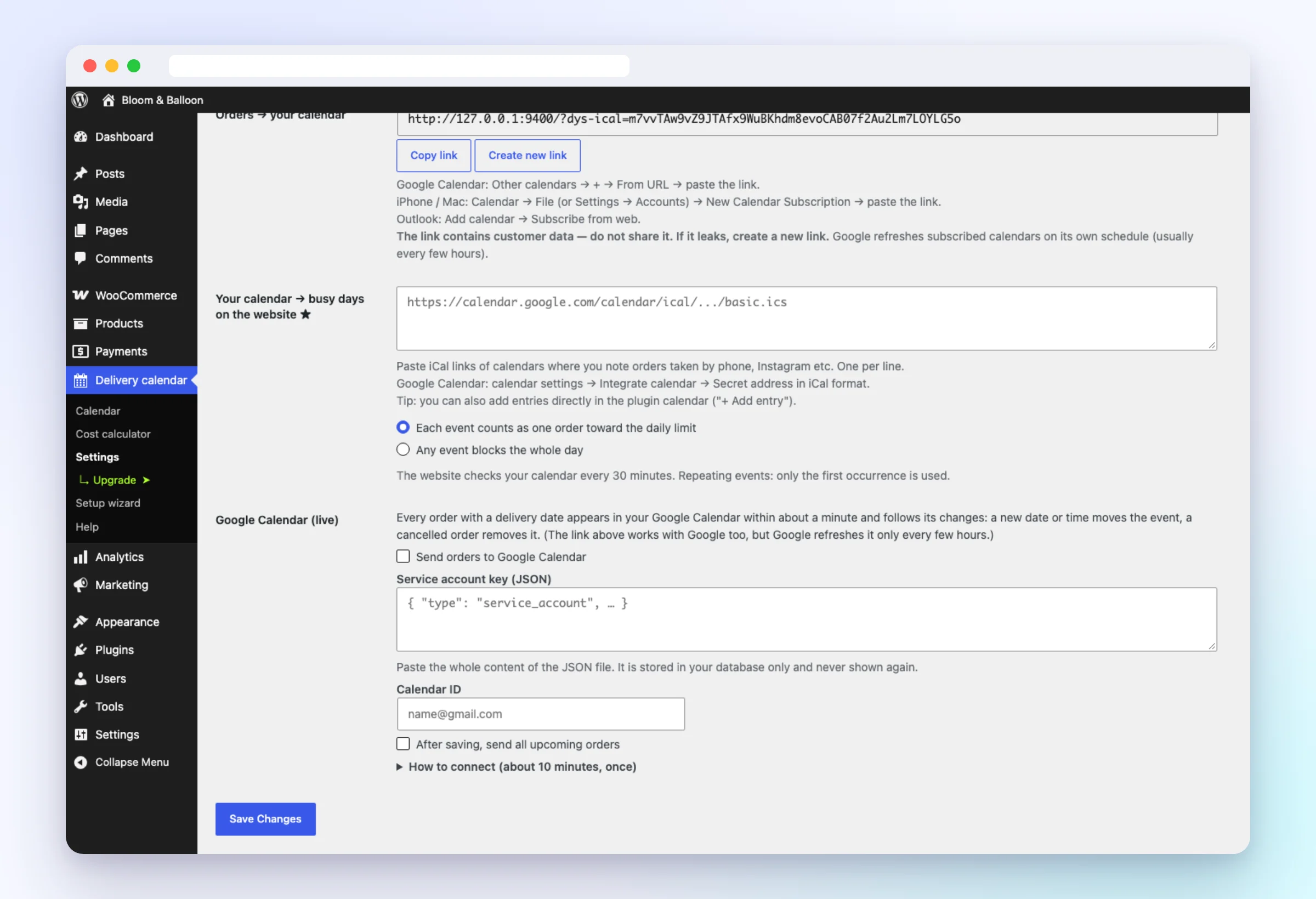
Orders appear in Google Calendar within a minute; add phone and Instagram orders as your own entries.
Checkout and My Account design
Extra fields with prices, rescheduling in My Account, and the whole checkout in the same design.
Free or Pro
| Free | Pro | |
|---|---|---|
| Delivery or pickup, day and time at checkout | ✓ | ✓ |
| Time windows, exact time, night | ✓ | ✓ |
| Price per day type, free delivery from an amount | ✓ | ✓ |
| Limits per day and per window | ✓ | ✓ |
| Delivery calendar with drag & drop | ✓ | ✓ |
| Setup wizard, 11 languages, Checkout block | ✓ | ✓ |
| Date in the cart, on products and in the mobile app | ✓ | ✓ |
| Pickup times, pickup points, branches | – | ✓ |
| Delivery zones and price per km | – | ✓ |
| Price calculator for customers | – | ✓ |
| Flexible free delivery, minimum order, price by order value | – | ✓ |
| Special dates and express delivery | – | ✓ |
| E-mail designs and texts | – | ✓ |
| Google Calendar sync, own entries | – | ✓ |
| Extra checkout fields, rescheduling in My Account | – | ✓ |
| Checkout and My Account design | – | ✓ |
See it in one minute
Questions
Yes, with both — and with Elementor, FunnelKit, CartFlows and Fluid Checkout.
Yes. Every kind of delivery has its own price for Monday–Saturday, Sunday and holidays.
No. Nothing loads on your home, shop and product pages; on the checkout about 10 KB.
Pro keeps working. Only updates and support stop until you renew.
Yes — 14 days of Pro, no card needed.
Yes. Your settings and the dates on your orders stay in the database.